
"We need a product video." We hear that sentence almost every week, and the funny thing is that it can mean five completely different videos. One founder wants a 60-second explainer for the homepage. Another needs a 25-second preview for the App Store. A third has just shipped a new feature and wants existing customers to actually use it. They're all product videos, but they're built differently, run in different places and get judged by different numbers. Since 2012, our team has made more than 650 videos for 500+ brands, a lot of them for SaaS companies and apps, so let me help you figure out which one you actually need.
Here's the short version. A product video shows what your product does and why it matters to the person watching. For SaaS and apps, that usually means an animated explainer or a demo built around your interface; for physical products, it's usually live action or 3D. Most product videos should be 30-90 seconds long, a custom animated one at our studio starts at $3,500, and the whole project takes 3 to 7 weeks. Read on, and you'll know which type fits your goal, what makes one work and what to watch out for.
What Is a Product Video?
A product video is a short video that demonstrates a product and its benefits. A good one doesn't just show the product; it names a problem the viewer actually has and then shows, as clearly as possible, how the product solves it. That's the whole job. Everything else, from the style to the music, is there to make that one idea land.
You'll find product videos on homepages and pricing pages, in app stores, in onboarding emails, in paid ads and in sales decks. And that's exactly why it's worth being precise about which one you're making, because a video that works perfectly on your homepage can flop as an ad and vice versa.
Which Type of Product Video Do You Need?
This is the question we start every project with, because the answer changes the script, the length and the style. Here are the main types we make, and where each one works best.
Explainer video. A 60-90 second video that explains what your product is, who it's for and why it's better. It's the classic choice for a homepage or a landing page, especially when your product is new or hard to describe. For inspiration, see our SaaS explainer video examples, software explainer videos and app explainer videos.
Product demo. A closer look at how the product actually works, usually built around your real interface. Demos shine further down the funnel, when people already know they have a problem and want proof that you can solve it. Take a look at the best software demo videos and best app demo videos we've found.
App introduction or launch video. A short, energetic video that announces a new app and makes people want to try it. It's built for launch day, social media and Product Hunt. Here are 10 great mobile app introduction videos.
App store preview. A 15-30 second video that plays right on your App Store or Google Play page, usually with the sound off. It has its own rules, and we cover them in detail in how to optimize your app store video for installs. For examples, see the best app preview videos.
Feature announcement. A video for a new feature, often aimed at the customers you already have. The goal is adoption or an upgrade, not awareness. Our guide on how to create a SaaS feature announcement video walks you through it.
Brand story vs. product demo. Not sure whether to sell the "why" or the "how"? That depends on where your viewer is in the buyer's journey, and we break it down in brand story vs. product demo.
What Makes a Great Product Video?
Over the years, we've noticed that the product videos that work have a lot more in common than you might think. Whether you're making the video yourself or hiring a studio, make sure yours has these seven things.
1. The Product Is the Star
This one sounds obvious, but you'd be surprised how many brands make a beautiful video where the product barely shows up. The story, the characters and the music all matter, but they're there to support the product, not to replace it. If someone watches your video with the sound off and still can't tell what you're selling, it's time to go back to the storyboard.
2. Your Brand and Personality
Use your logo, your colors and your tone of voice, so people recognize you the next time they see you. Tesla is a good example here. For years, its product videos on YouTube have shown off the car's features with subtle branding in the frame, and they feel more like tech videos than car commercials. That fits a company that likes to position itself as a software company that happens to make cars.
3. One Specific Problem
Great product videos name a specific problem, not a broad global issue. You're talking to a particular group of people, and they should feel like you really understand their day. "Finding a reliable handyman is a pain" works much better than "people need home services."
4. A Clear Solution
Then show how your product solves that problem, step by step and without the jargon. People don't buy products. They buy a fix for something that bothers them, whether it's saving time, looking good or simply staying warm.
5. A Reason to Choose You
If there are a dozen similar products out there, your video has to say why yours is different. That's your unique selling proposition. Volvo is the classic example. It isn't always the safest car on the market every single year, but in people's minds it's still the safe one, because that's the story it has told for decades.
6. Benefits Over Features
This is probably the most common mistake we see. Companies list every feature they've ever built, and viewers remember none of them. Pick the one or two benefits that matter most and show what life looks like after someone starts using your product.
7. A Call to Action
Tell people exactly what to do next: start a free trial, download the app, book a demo or buy now. Our brains don't like extra effort, so if you don't point the way, most people won't go looking for it. For more on this, see how to use a call to action in a marketing video.
And a few famous examples prove these rules work at any budget. Dollar Shave Club's famous launch video spoke directly to young men tired of paying for big-brand razors, and it became one of the best-known startup launch videos ever. Blendtec's "Will It Blend?" series skipped the feature list altogether and simply blended things you'd never expect, from phones to golf balls. Both are a reminder that a clear idea beats a big production.
Product Videos for SaaS, Apps and Physical Products
The rules above work for any product, but how you apply them depends a lot on what you're selling.
SaaS and Software
SaaS products are usually invisible until someone logs in, which is exactly why animation works so well for them. A 2D motion graphics video can show your interface, simplify a complex workflow and keep everything on brand. When we made the video for Cyclops, a retail analytics platform, we skipped the clichés about data being important and went straight to the questions store owners actually ask: who's visiting, and how long do they stay? The video has passed 550,000 views on YouTube. For existing users, feature videos built around your real design files work best; that's how we introduced the new Wishlist feature for Live Nation, with animation built around the actual interface, step by step. If you're planning one, take a look at our SaaS explainer video production page.
Mobile Apps
Apps have a different problem. There are millions of them, people decide in seconds whether to download one, and a lot of new users give up if they can't figure out how the app works. A short video solves both problems at once: it shows the value before the download and sets the right expectations afterwards. Here's what that looks like in practice. The app explainer we made for Varpet, a service that helps people find home repair pros, played a key role in attracting the app's first 15,000 users. In the first month after the video went live, orders grew by 15%, and conversion on the App Store went up by 35%. For DoorDash, we made a video for restaurant partners that introduced the new Self-Delivery feature and focused on the pain points that mattered to them: high commissions and lack of control. If you're working on an app, see our app explainer video production page.
Physical Products
For physical products, people want to see the real thing, so live action is usually the best choice. If your product has a complex mechanism, like a watch or an engine, 3D lets you show it from every angle and even from the inside.
And animation still has a place here too, especially for products with a story or a cause behind them. For ideas, see our 20 best animated product video examples and our product video production page.
How Long Should a Product Video Be?
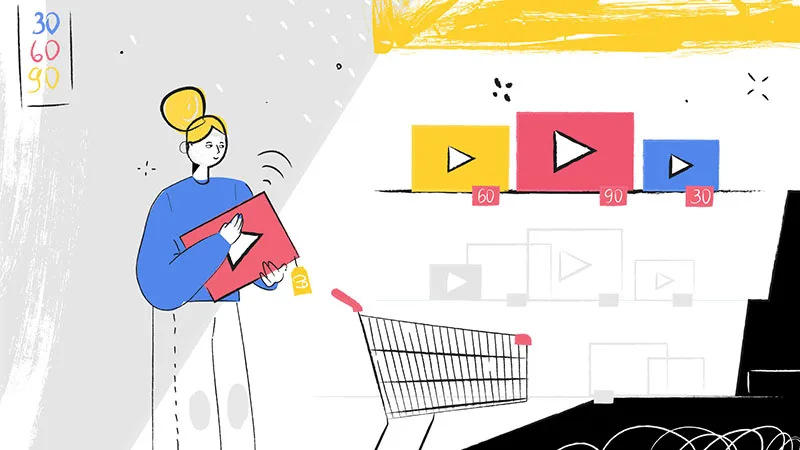
It depends on where the video will live. For social media ads, keep it under 30 seconds and make the first three seconds count. App Store previews must be 15-30 seconds long. For your homepage or a landing page, 60-90 seconds is the sweet spot, and we rarely recommend going longer than that for a first video. Detailed demos and onboarding videos can run longer, as long as every second is useful. For the full breakdown by platform, read our guide on how long an explainer video should be.
What Style Should You Choose?
Most digital products do best with 2D animation or motion graphics, because they can show the interface and the benefits at the same time. Physical products usually work better in live action, and products with complex mechanics often need 3D. Mixed media, like animation combined with screen recordings or live footage, is a great middle ground for apps, where you want to show both the screen and the real-life experience.
How Much Does a Product Video Cost?
At Yans Media, custom animated product videos start at $3,500-5,500 for AI-assisted production with a human polish, $5,500-8,500 for fully custom work and $8,500-20,000 for premium projects. Live action and 3D are different stories. You can film and edit a simple live-action video yourself for very little if you've got decent equipment. A professional live-action production with a crew, though, can easily run into tens of thousands of dollars, and high-quality 3D usually starts well above the price of a 2D video. For the full picture, see our explainer video cost guide.
How Long Does It Take to Make One?
A custom 60-90 second animated product video usually takes 3 to 7 weeks from kickoff to delivery, and 2 to 4 weeks once the script is approved. If you're planning a launch, start early, so the video is ready the day your product goes live. The whole process, step by step, is in our guide to the animation production process.
Final Thoughts
So here's the bottom line. "Product video" isn't one thing. It's a family of videos, and the right one depends on who's watching and what you want them to do next. Start with the goal, pick the type that matches it and then keep the product, the problem and the benefit front and center. Get those right, and the style becomes the easy part.
If you'd like help choosing the right video for your product, we'd love to chat. Book a free call with one of our video strategists, or take a look at our SaaS, app and product video production pages to see what we've made for companies like yours.
FAQ
What is a product video?
A product video is a short video that shows what a product does and why it matters to the viewer. It names a problem, shows how the product solves it and ends with a clear next step.
What types of product videos are there?
The most common types are explainer videos, product demos, app introduction or launch videos, app store previews, feature announcement videos and brand story videos. Each one works best at a different stage of the buyer's journey.
How long should a product video be?
Under 30 seconds for social media ads, 15-30 seconds for App Store previews and 60-90 seconds for a homepage or landing page. Demos and onboarding videos can be longer if every second is useful.
How much does a product video cost?
At Yans Media, custom animated product videos start at $3,500. Fully custom work is usually $5,500-8,500, and premium projects run $8,500-20,000. Live action and 3D are usually more expensive.
Is animation or live action better for a product video?
Animation usually works better for software and apps, because it can show the interface and the benefits together. Live action is usually better for physical products, and 3D is best for products with complex mechanisms.
How long does it take to make a product video?
A custom animated product video usually takes 3 to 7 weeks from kickoff to delivery, and 2 to 4 weeks once the script is approved.
